
የ12ኛ ክፍል ውጤት ወጥቷል፤ ውጤትዎን የሚያዩበት መንገድ

የምዕራፍ ማስታወሻዎችና የመልመጃ ጥያቄዎች

የ9ኛ ክፍል የመረጃ ቴክኖሎጂ ምዕራፍ 4፦ ኢሜጅ ፕሮሰሲንግ እና መልቲሚዲያ

በዚህ ገጽ ያለው ሁሉ ለ9ኛ ክፍል የየመረጃ ቴክኖሎጂ መፅሐፍ ምዕራፍ 4 ነው፦ ምዕራፉ የሚሸፍነው፣ አጭር ማስታወሻዎቹ፣ የመልመጃ ጥያቄዎች ከመልሶቻቸው ጋር፣ እና ቪዲዮ ባለበት የትምህርቱ ቪዲዮ።

ከ Google Play ያውርዱ
4
ካርዶች
10
የምዕራፍ 4 የመልመጃ ጥያቄዎች
145–191
የምዕራፍ 4 የመፅሐፍ ገጾች

ምዕራፍ 4 የሚሸፍነው

  1. 1.Image
  2. 2.Multimedia Production Planning Strategies
  3. 3.Using Image Processing Software
  4. 4.Unit Review Exercise

የምዕራፍ 4 አጭር ማስታወሻዎች

በ9ኛ ክፍል የየመረጃ ቴክኖሎጂ ገጽ ላይ በዚህ ምዕራፍ ሥር የተመዘገቡት ካርዶች። አንድ በአንድ ይክፈቱ።

ጉድለትመንስኤበፎቶሾፕ የማረሚያ ዘዴ
Red EyeየCamera flash በቀጥታ ከlens በላይ ሲቀመጥበHealing Brush ስር የሚገኝ Red Eye Tool
Hot SpotFlash በሚያንጸባርቅ ቆዳ ወይም ገጽታ ላይ ሲያንጸባርቅወደ Darken blend mode የተቀናበረ Clone Stamp Tool
Underexposureያለ flash በቤት ውስጥ ፎቶ ማንሳትDuplicate layer ማድረግ (Ctrl + J) እና Exposure ማስተካከል
Dull Colorsየደበዘዘ ወይም ዝቅተኛ የcolor intensityHue/Saturation adjustment layer

መቼ እንደሚጠቀሙበት

በብርሃን ወይም በካሜራ ፍላሽ ምክንያት የተፈጠሩ ጉድለቶችን ለመለየትና መፍትሔ ለመስጠት ይጠቀሙበት።

ይጠንቀቁ

ለሆት ስፖት ክሎን ስታምፕን (Clone Stamp) ሲጠቀሙ የብሌንድ ሁነታን (Blend Mode) ከኖርማል ወደ ዳርከን (Darken) መቀየር አለብዎት፡ አለበለዚያ ከናሙናው የቀለሉ ፒክስሎች ብቻ አይቀየሩም።

ከGrade 9 Information Technology፣ ገጽ 145-191 የተዘጋጀ፤ ከመውጣቱ በፊት ሁለት ጊዜ ተረጋግጧል

መቼ እንደሚጠቀሙበት

በሌቨልስ ማስተካከያ ንብርብር ውስጥ ጥቁር፡ ግራጫ ወይም ነጭ ተንሸራታቾችን ሲያንቀሳቅሱ ይመልከቱት።

ይጠንቀቁ

ጥቁር ወይም ነጭ ተንሸራታቾችን ከሂስቶግራም ውሂብ ወሰን በላይ መጎተት ክሊፒንግ ያስከትላል። ይህም በጥላና በብርሃን ውስጥ ያሉ ዝርዝር መረጃዎችን ሙሉ በሙሉ ያጠፋል።

ከGrade 9 Information Technology፣ ገጽ 145-191 የተዘጋጀ፤ ከመውጣቱ በፊት ሁለት ጊዜ ተረጋግጧል
የማሳያ ዘዴዋና ቅንብሮችየአሠራር መርህ
Unsharp MaskAmount, Radius (ከ 0.3 እስከ 0.5), ThresholdEdges ለመለየት blurry mask ይቀንሳል፣ ከዚያም የ edge contrast ይጨምራል
Smart SharpenAmount (ከ 150% ይጀምሩ), Radius (ከ 1 እስከ 2)አብሮ በተሰራው የ Noise Reduction መቆጣጠሪያዎች አማካኝነት edge sharpness ያሻሽላል
High Pass FilterRadius (ከ 2 እስከ 5), Blend Mode (Overlay, Soft Light)Edges ወደ gray layer ያወጣል እና contrast ከመጀመሪያው ጋር ያዋህዳል

መቼ እንደሚጠቀሙበት

የምስል ጠርዞችንና ጥራትን ለማጉላት ተስማሚ የማሳያ ዘዴን ለመምረጥ ይጠቀሙበት።

ይጠንቀቁ

ሃይ ፓስ ፊልተርን (High Pass) ከመተግበርዎ በፊት ዋናው ምስል እንዳይጎዳ ንብርብሩን ወደ ስማርት ኦብጀክት (Smart Object) መቀየር ያስፈልጋል።

ከGrade 9 Information Technology፣ ገጽ 145-191 የተዘጋጀ፤ ከመውጣቱ በፊት ሁለት ጊዜ ተረጋግጧል

ምድብመሣሪያዎችዋና ተግባር
SelectionMove, Lasso, Object Selectionobjects ወይም layers ን ይመርጣል፣ ይለያል፣ እና ያንቀሳቅሳል
Crop and SliceCrop Tool, Sliceየማይፈለጉ የውጪ ክፍሎችን ቆርጦ ያስወግዳል
RetouchingSpot Healing Brush, Clone Stampእንከኖችን ያስወግዳል እና በቦታዎች ላይ pixels ናሙና ይወስዳል
PaintingBrush, Gradient, EraserStrokes፣ color transitions ይተገብራል ወይም pixels ይሰርዛል
NavigationHand, Zoomእይታን ያሳያል እንዲሁም የተወሰኑ የ pixel ቦታዎችን ያጎላል

መቼ እንደሚጠቀሙበት

ትክክለኛውን የምስል ማስተካከያ መሣሪያ ምድብ እና ተግባር ለመለየት ይጠቀሙበት።

ይጠንቀቁ

የመሣሪያ አሞሌው በመደበኛነት ነጠላ መሣሪያዎችን ብቻ ያሳያል። የተደበቁ ንዑስ መሣሪያዎችን ለማግኘት የመሣሪያው ምልክት ላይ በቀኝ ጠቅ ያድርጉ ወይም ትንሹን ቀስት ይጫኑ።

ከGrade 9 Information Technology፣ ገጽ 145-191 የተዘጋጀ፤ ከመውጣቱ በፊት ሁለት ጊዜ ተረጋግጧል

የምዕራፍ 4 የመልመጃ ጥያቄዎች

በዚህ ምዕራፍ ላይ የተጻፉ 10 የምርጫ ጥያቄዎች፣ እያንዳንዳቸው መልሱና ምክንያቱ አላቸው። መልሱን ከመክፈትዎ በፊት ይሞክሩ። ጥያቄዎቹ በእንግሊዝኛ ናቸው።

ጥያቄ 1

What is the smallest element of a digital image?

  1. A.Pixel
  2. B.Layer
  3. C.Ruler
  4. D.Canvas
መልሱንና ምክንያቱን ያሳዩ

መልስ፦ A Pixel

ምክንያቱ

A digital image is made up of combinations of binary digits or pixels. A pixel is the smallest element of an image.

ጥያቄ 2

In digital image processing, what does the abbreviation PPI stand for?

  1. A.Point Presentation Interface
  2. B.Pixel Per Inch
  3. C.Picture Process Index
  4. D.Program Pixel Input
መልሱንና ምክንያቱን ያሳዩ

መልስ፦ B Pixel Per Inch

ምክንያቱ

Image resolution is described in PPI, which stands for Pixel Per Inch. It measures how many pixels appear in one inch of an image.

ጥያቄ 3

Which image editing technique is defined as removing portions of a photo to create focus or strengthen the composition?

  1. A.Sharpening
  2. B.Cropping
  3. C.Saturation
  4. D.Blurring
መልሱንና ምክንያቱን ያሳዩ

መልስ፦ B Cropping

ምክንያቱ

Cropping is the process of cutting out or removing unwanted outer parts of a photo to focus on a specific area.

ጥያቄ 4

Which keyboard shortcut is used to duplicate a layer in Adobe Photoshop?

  1. A.Ctrl + J
  2. B.Ctrl + D
  3. C.Ctrl + N
  4. D.Ctrl + T
መልሱንና ምክንያቱን ያሳዩ

መልስ፦ A Ctrl + J

ምክንያቱ

Pressing Ctrl + J on the keyboard quickly duplicates the selected layer in Photoshop.

ጥያቄ 5

According to the textbook, which medium was the first mass communication medium to communicate ideas using text, graphics, and images?

  1. A.Radio
  2. B.Television
  3. C.Newspapers
  4. D.Cinema
መልሱንና ምክንያቱን ያሳዩ

መልስ፦ C Newspapers

ምክንያቱ

The use of multimedia began with newspapers, which served as the first mass communication medium combining text, graphics, and images.

ጥያቄ 6

A student in Addis Ababa is planning a video project scene by scene. Which planning strategy uses a sequence of sketches and illustrations to tell a story visually?

  1. A.Storyboard
  2. B.Histogram
  3. C.Color wheel
  4. D.Unsharp mask
መልሱንና ምክንያቱን ያሳዩ

መልስ፦ A Storyboard

ምክንያቱ

A storyboard is a graphic layout that sequences illustrations and images to plan out the flow of a multimedia product scene by scene.

ጥያቄ 7

Which Photoshop retouching tool is used to sample pixels from one area of an image and paint them over pixels in another area?

  1. A.History Brush Tool
  2. B.Clone Stamp Tool
  3. C.Blur Tool
  4. D.Dodge Tool
መልሱንና ምክንያቱን ያሳዩ

መልስ፦ B Clone Stamp Tool

ምክንያቱ

The Clone Stamp Tool is a basic retouching tool that copies (samples) pixels from a chosen point and paints them into another location.

ጥያቄ 8

What happens to a colored photograph if its saturation is completely removed using an adjustment layer?

  1. A.It turns into a black-and-white or grayscale image.
  2. B.It changes into a bright solid red color.
  3. C.It deletes the background layer completely.
  4. D.It inverts all highlights into dark shadows.
መልሱንና ምክንያቱን ያሳዩ

መልስ፦ A It turns into a black-and-white or grayscale image.

ምክንያቱ

Saturation controls color intensity. Reducing saturation completely removes all color tones, leaving only a grayscale or black-and-white image.

ጥያቄ 9

When removing a shiny hot spot from a photo using the Clone Stamp Tool, which Blend Mode is chosen so that only lighter pixels are changed?

  1. A.Multiply
  2. B.Darken
  3. C.Screen
  4. D.Dissolve
መልሱንና ምክንያቱን ያሳዩ

መልስ፦ B Darken

ምክንያቱ

Setting the Blend Mode to Darken ensures that Photoshop only replaces pixels that are lighter than the sampled reference point, effectively toning down shiny hot spots.

ጥያቄ 10

When sharpening an image with the High Pass filter in Photoshop, which two contrast-boosting blend modes are most commonly used?

  1. A.Overlay and Soft Light
  2. B.Multiply and Screen
  3. C.Color Burn and Darken
  4. D.Difference and Exclusion
መልሱንና ምክንያቱን ያሳዩ

መልስ፦ A Overlay and Soft Light

ምክንያቱ

Overlay gives higher contrast for stronger sharpening, while Soft Light provides lower contrast for subtle sharpening.

መተግበሪያው በዚህ ምዕራፍ ላይ 12 ጥያቄዎች አሉት፤ እየሠሩ ያርምዎታል። እዚህ ያሉት የመጀመሪያዎቹ 10 ናቸው።

የምዕራፍ 4 የመፅሐፍ ገጾች

ምዕራፍ 4 በየትምህርት ሚኒስቴር እትም ከገጽ 145 እስከ ገጽ 191 ይደርሳል።

የትምህርት ሚኒስቴር እትም, እንግሊዝኛ, 251 ገጾች

PDF ያውርዱ

ይህን ምዕራፍ በመተግበሪያው ይለማመዱ

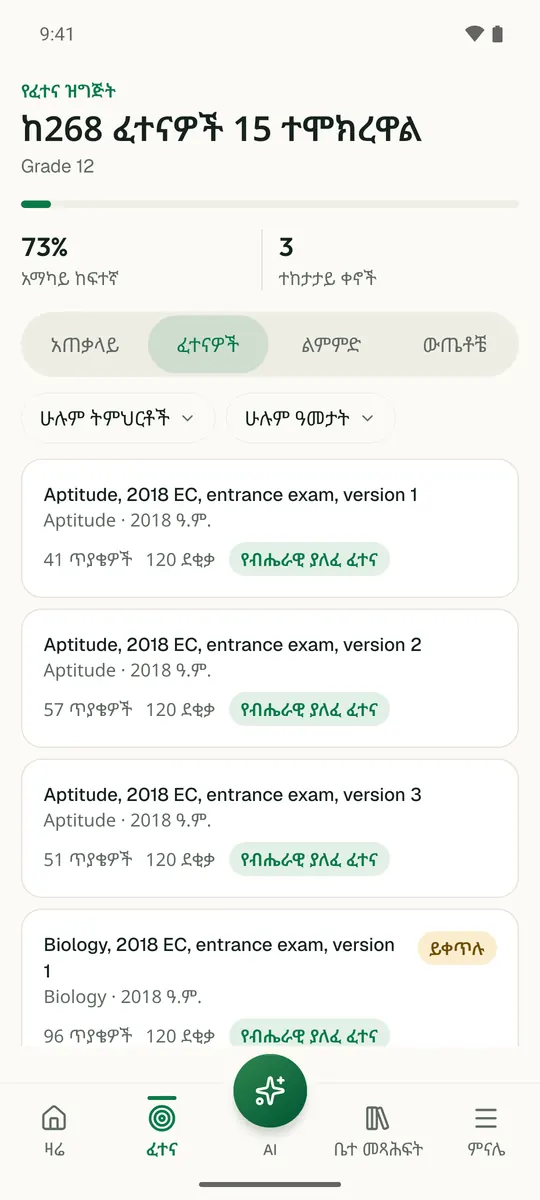
Temari ይህን ምዕራፍ ወደ ጊዜ የተቆረጠለት መልመጃ ይለውጠዋል፣ እየሠሩ ያርምዎታል፤ ያልገባዎትንም የሚያብራራ የ AI አስተማሪ አለ።

በነጻ ይጀምሩ

Temari.et ለ Android ስልኮች መተግበሪያ አለው፤ በ Google Play ላይ በነጻ ይገኛል።

ይግቡመለያዎን ይክፈቱ