
Grade 12 results are out. Where to check yours

Unit notes and practice questions

Grade 11 Information Technology unit 5: Hardware Troubleshooting and Preventive Maintenance

Everything here is for unit 5 of the Grade 11 Information Technology textbook: what the chapter covers, the short notes, practice questions with their answers, and the lesson video where one exists.

Get it on Google Play
1
Cards
10
Practice questions on unit 5
109–131
The textbook pages for unit 5

Start here

The Temari lesson on unit 5

A short video lesson on this chapter, made by Temari. It loads only when you press play.

Beep codes: what a computer says when it starts · 4 min · 2 past exam questions worked through

Parts of the lesson

Tap a part to play the lesson from there.

What unit 5 covers

  1. 1.Hardware Troubleshooting
  2. 2.Basics of Preventive Maintenance

Short notes for unit 5

The cards filed under this chapter on the Grade 11 Information Technology page. Open one at a time.

When you use it

Consult this before performing any hardware diagnosis or maintenance procedure.

Watch out

Never start troubleshooting or hardware replacement before taking a complete backup of user data.

Drafted from Grade 11 Information Communication Technology, pages 109-131, then checked twice before it went up

Practice questions on unit 5

10 multiple-choice questions written against this chapter, each with its answer and the reason. Try one before you open the answer.

Question 1

What does POST stand for?

  1. A.Power On Self-Test
  2. B.Power Only System Test
  3. C.Partial Operating System Test
  4. D.Primary Output Screen Tool
Show the answer and why

Answer: A Power On Self-Test

Why

POST stands for Power On Self-Test. It is part of the computer's startup program. It checks the keyboard, RAM, disk drives and other hardware to make sure they work.

Question 2

What must you do before you remove or replace any computer part?

  1. A.Switch off the computer
  2. B.Run the antivirus program
  3. C.Open the Event Viewer
  4. D.Change the screen colour
Show the answer and why

Answer: A Switch off the computer

Why

The textbook says it is necessary to switch off the computer before any hardware maintenance, such as removing or replacing computer parts.

Question 3

In Device Manager, a yellow triangle with an exclamation mark next to a device means:

  1. A.The device has a problem
  2. B.The device has been disabled
  3. C.Windows does not know which driver to install
  4. D.The device has been removed from the system
Show the answer and why

Answer: A The device has a problem

Why

A yellow triangle with an exclamation mark shows that the device has a problem. The other symbols mean different things: a downward arrow means disabled, a yellow question mark means the driver is unknown, and a red X means disabled, removed or not found.

Question 4

When a computer is turned on, it makes one short beep and runs fine. What does this mean?

  1. A.The system is booting properly
  2. B.The RAM has gone bad
  3. C.The power supply is completely dead
  4. D.The video card has failed
Show the answer and why

Answer: A The system is booting properly

Why

The textbook says that most computers emit one beep to show that the system is booting properly. So one short beep is a normal sign, not an error.

Question 5

A computer in an office in Addis Ababa has two RAM sticks installed. When it starts, it makes a long, continuous beep and does not boot. Which action should the technician take first?

  1. A.Remove one RAM stick and try to boot the computer
  2. B.Replace the power supply
  3. C.Clear the CMOS settings with a new battery
  4. D.Reseat the video card
Show the answer and why

Answer: A Remove one RAM stick and try to boot the computer

Why

A long, continuous beep means the RAM sticks may have gone bad. If there is more than one stick, take one out and see if the computer boots. Then try the other stick. This shows which stick has the problem.

Question 6

A projector in a school in Hawassa is connected to a computer. When the computer starts, it gives one long beep and two short beeps. What is the problem, and what is the first action?

  1. A.Video card failure; reseat the video card
  2. B.Dead power supply; buy a new power supply
  3. C.Bad RAM; take out one stick
  4. D.Bad CMOS battery; replace it with any battery
Show the answer and why

Answer: A Video card failure; reseat the video card

Why

One long and two short beeps means there has been a video card failure. The first action is to reseat the video card. The textbook says this often solves the problem with projectors, because the video cable gets moved so often that the card can slowly unplug. If reseating does not work, replace the video card.

Question 7

There is a sudden power cut in an office in Addis Ababa. The staff need enough time to save their work before the computer turns off. Which power protection device is designed for this?

  1. A.Surge protector
  2. B.Stabilizer
  3. C.Voltage regulator
  4. D.UPS (Uninterruptible Power Supply)
Show the answer and why

Answer: D UPS (Uninterruptible Power Supply)

Why

A UPS protects against the complete absence of electricity. It is a short-term battery that keeps the computer running for 5 to 30 minutes when the power fails. This gives you time to save your data. A surge protector guards against too much electricity, a stabilizer keeps the voltage at a desired level, and a voltage regulator protects against too little electricity.

Question 8

Abebe checks his hard disk in Defragment and Optimize Drives. The drive's current status says (0% fragmented). What should he do?

  1. A.Nothing, because there is no need to defragment
  2. B.Defragment the drive immediately
  3. C.Buy a new hard disk
  4. D.Delete all the files on the drive
Show the answer and why

Answer: A Nothing, because there is no need to defragment

Why

The textbook says that if the drive's status says (0% fragmented), there is no need to do defragmentation. Abebe does not need to do anything to the drive at this time.

Question 9

A customer in Bahir Dar brings a computer that will not start properly. The customer has never made a backup. What should the technician do before doing any troubleshooting?

  1. A.Start troubleshooting right away and make a backup later
  2. B.Take a backup first, and do not start troubleshooting until it is done
  3. C.Replace the hard disk to save the time of making a backup
  4. D.Only check the antivirus software
Show the answer and why

Answer: B Take a backup first, and do not start troubleshooting until it is done

Why

The textbook says that backup is the first step before any troubleshooting. If a backup has not been taken, do not take any troubleshooting activity. Protecting the customer's data comes first.

Question 10

In the Windows Resource Monitor, a process name is shown in red. What does this colour mean?

  1. A.The process is running normally
  2. B.The process is suspended
  3. C.The process is not responding
  4. D.The process has been installed as a new program
Show the answer and why

Answer: C The process is not responding

Why

In the Processes section, running processes are shown in black, suspended processes are shown in blue, and processes that are not responding are shown in red. So a red process is one that is not responding.

The app holds 12 questions on this unit, marked as you go. These are the first 10.

The textbook pages for unit 5

Unit 5 runs from page 109 to page 131 of the Ministry of Education edition.

Ministry of Education edition, English, 170 pages

Download the PDF

Practise this unit in the app

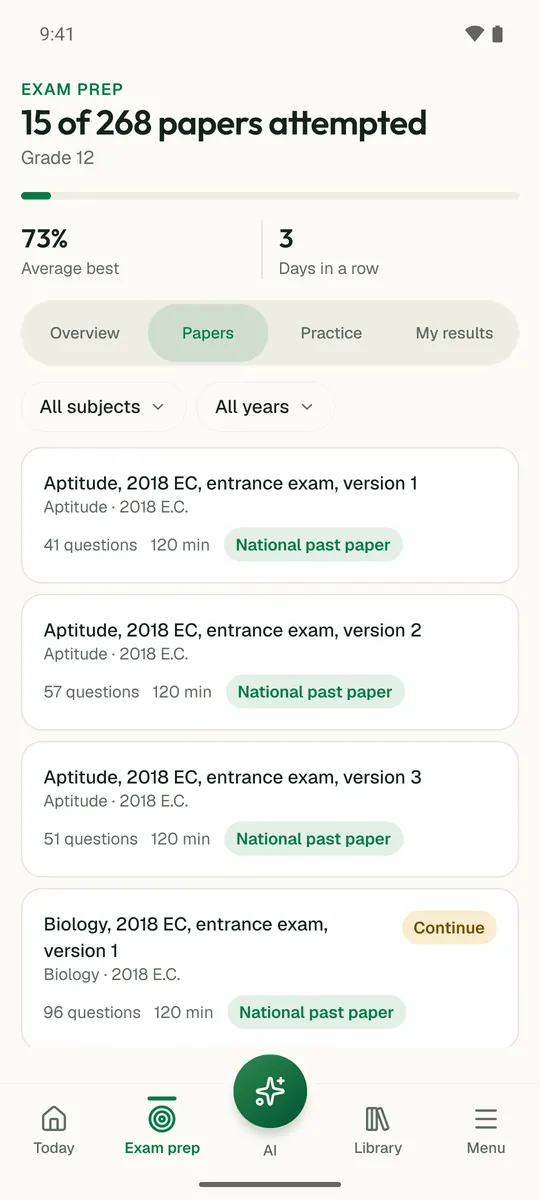
Temari turns this chapter into timed practice and marks it as you go, with an AI tutor to explain anything that did not land.

Start free

Temari.et is also an Android app, free on Google Play.

Sign inCreate your account