
Grade 12 results are out. Where to check yours

Unit notes and practice questions

Grade 10 Information Technology unit 5: Information and computer security

Everything here is for unit 5 of the Grade 10 Information Technology textbook: what the chapter covers, the short notes, practice questions with their answers, and the lesson video where one exists.

Get it on Google Play
5
Cards
10
Practice questions on unit 5
182–203
The textbook pages for unit 5

What unit 5 covers

  1. 1.Impact of Information and Computer Security on Society
  2. 2.Privacy and Security
  3. 3.Computer Security Threats
  4. 4.Threat Prevention Strategies
  5. 5.Cyber Security
  6. 6.Unit Review Exercise

Short notes for unit 5

The cards filed under this chapter on the Grade 10 Information Technology page. Open one at a time.

When you use it

Use this when comparing self-replicating malicious programs and their spreading mechanisms.

Watch out

Assuming worms require an existing file to infect. A virus attaches to and infects existing files and programs, whereas a worm spreads across computer networks independently.

Drafted from Grade 10 Information Communication Technology, pages 182-203, then checked twice before it went up

When you use it

Use this when distinguishing between personal information rights and technical protection controls.

Watch out

Treating privacy and security as interchangeable. Privacy concerns rights regarding how personal data is handled and used, while security concerns technical measures preventing unauthorized access.

Drafted from Grade 10 Information Communication Technology, pages 182-203, then checked twice before it went up

When you use it

Use this to select the appropriate defensive tool for network traffic control versus system malware detection.

Watch out

Relying solely on a firewall for complete virus protection. A firewall filters incoming and outgoing network traffic, but an antivirus program is required to scan and remove malware.

Drafted from Grade 10 Information Communication Technology, pages 182-203, then checked twice before it went up

When you use it

Use this to distinguish between failures of confidentiality, integrity, and availability in computer security.

Watch out

Confusing denial of service with a confidentiality breach. Denial of service is a failure of availability, not unauthorized data disclosure.

Drafted from Grade 10 Information Communication Technology, pages 182-203, then checked twice before it went up

Account TypeAccess LevelKey Restriction
AdministratorFull access to settings, software installation, and user managementOnly one account on the PC should be an administrator
StandardCan personalize personal settings and run installed applicationsCannot modify system security or access other users files
GuestTemporary access to run installed softwareNo privacy, cannot access personal folders, only one allowed

When you use it

Use this to determine the permissions, access levels, and restrictions for different Windows user accounts.

Watch out

Using the administrator account for daily use. A daily use account should be a standard account to prevent unintended system changes.

Drafted from Grade 10 Information Communication Technology, pages 182-203, then checked twice before it went up

Practice questions on unit 5

10 multiple-choice questions written against this chapter, each with its answer and the reason. Try one before you open the answer.

Question 1

What short name is commonly used to refer to information security?

  1. A.InfoSec
  2. B.ComSec
  3. C.NetSec
  4. D.DataSec
Show the answer and why

Answer: A InfoSec

Why

Information security is simply referred to as InfoSec, which is the practice of defending information from unauthorized access and damage.

Question 2

What is a person called who uses computers to gain unauthorized access to data?

  1. A.Administrator
  2. B.Hacker
  3. C.Standard user
  4. D.Technician
Show the answer and why

Answer: B Hacker

Why

A hacker is defined as a person who uses computers to gain unauthorized access to data.

Question 3

Which Windows user account exists for temporary users and is often used in internet cafes?

  1. A.Administrator account
  2. B.Root account
  3. C.Guest account
  4. D.Standard account
Show the answer and why

Answer: C Guest account

Why

A Guest account is designed for temporary computer users. Only one guest account can exist on a computer, and it provides no privacy.

Question 4

Which type of malware secretly gathers information about a person or an organization and relays this data to third parties?

  1. A.Spyware
  2. B.Firewall
  3. C.UPS
  4. D.Operating system
Show the answer and why

Answer: A Spyware

Why

Spyware is software that secretly gathers information about a person or organization without permission and sends it to other parties.

Question 5

How does a computer worm spread across systems?

  1. A.By spreading malicious code on its own using computer networks
  2. B.By physically breaking electrical power cords
  3. C.By asking the administrator for manual permission
  4. D.By turning off the computer monitor display
Show the answer and why

Answer: A By spreading malicious code on its own using computer networks

Why

A computer worm is a self-replicating computer program that spreads malicious codes using computer networks.

Question 6

A school in Hawassa installs an Uninterruptible Power Supply (UPS) in its computer laboratory. What is the main purpose of this device?

  1. A.To block hackers from private networks
  2. B.To provide battery backup during a power outage
  3. C.To scan and clean viruses from flash drives
  4. D.To create new user accounts automatically
Show the answer and why

Answer: B To provide battery backup during a power outage

Why

An Uninterruptible Power Supply (UPS) is a protective electrical device that provides battery backup during a power outage.

Question 7

What is the primary role of a firewall in network security?

  1. A.To increase internet download bandwidth
  2. B.To monitor network traffic and form a barrier between trusted and untrusted networks
  3. C.To replace the computer operating system
  4. D.To store physical backups of user files
Show the answer and why

Answer: B To monitor network traffic and form a barrier between trusted and untrusted networks

Why

A firewall monitors incoming and outgoing network traffic to block unauthorized access, forming a barrier between trusted and untrusted networks.

Question 8

Which user account is created initially when installing Windows 10 and has full permission to change security settings and manage other users?

  1. A.Guest account
  2. B.Standard account
  3. C.Administrator account
  4. D.Temporary account
Show the answer and why

Answer: C Administrator account

Why

The initial user account created upon installing Windows 10 is the administrator account, which has complete control over software, settings, and user management.

Question 9

What is the fundamental difference between data privacy and data security as described in the textbook?

  1. A.Privacy deals with hardware power, while security deals with software speed.
  2. B.Privacy concerns people's rights over personal data handling, while security concerns measures to prevent unauthorized access.
  3. C.Privacy is used only for school networks, while security is used only for business cloud services.
  4. D.Privacy relies only on firewalls, while security relies only on standard user accounts.
Show the answer and why

Answer: B Privacy concerns people's rights over personal data handling, while security concerns measures to prevent unauthorized access.

Why

Data privacy is about respecting people's rights regarding how their personal data is collected and used, while data security involves policies and tools taken to protect data from unauthorized access or breaches.

Question 10

Traditionally, information technology (IT) facilities have been protected for three reasons. Which of the following is NOT one of those three reasons?

  1. A.To prevent theft of or damage to the hardware
  2. B.To prevent theft of or damage to the information
  3. C.To prevent disruption of service
  4. D.To permanently stop the need for computer updates
Show the answer and why

Answer: D To permanently stop the need for computer updates

Why

The three traditional reasons to protect IT facilities are: preventing hardware theft/damage, preventing information theft/damage, and preventing disruption of service.

The app holds 12 questions on this unit, marked as you go. These are the first 10.

The textbook pages for unit 5

Unit 5 runs from page 182 to page 203 of the Ministry of Education edition.

Ministry of Education edition, English, 234 pages

Download the PDF

Practise this unit in the app

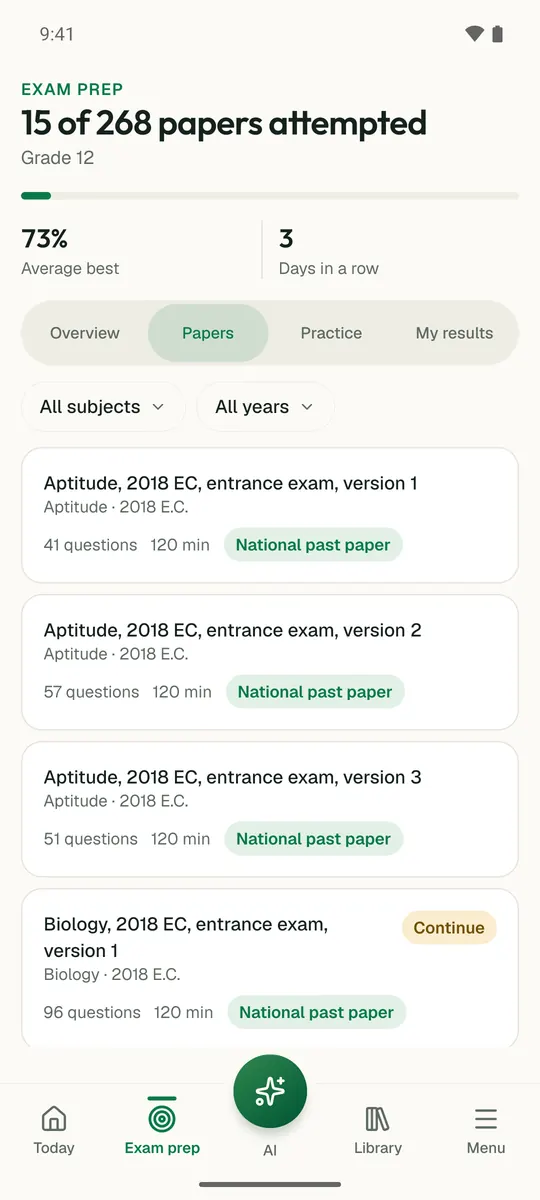
Temari turns this chapter into timed practice and marks it as you go, with an AI tutor to explain anything that did not land.

Start free

Temari.et is also an Android app, free on Google Play.

Sign inCreate your account