
Grade 12 results are out. Where to check yours

Unit notes and practice questions

Grade 12 Information Technology unit 6: Fundamentals of Programming

Everything here is for unit 6 of the Grade 12 Information Technology textbook: what the chapter covers, the short notes, practice questions with their answers, and the lesson video where one exists.

Get it on Google Play
5
Cards
10
Practice questions on unit 6

What unit 6 covers

  1. 1.Program Flow Controls and Syntax in Python
  2. 2.Conditionals Program Flow Controls
  3. 3.Loops or Iteration Program Flow Controls
  4. 4.Comments in Python
  5. 5.Python Interpreter
  6. 6.Testing and Debugging Programs

Short notes for unit 6

The cards filed under this chapter on the Grade 12 Information Technology page. Open one at a time.

When you use it

Use when modifying the standard flow of for or while loops.

Watch out

break terminates the entire loop and exits immediately, whereas continue skips only the remainder of the current iteration and jumps to the next cycle.

Drafted from Grade 12 Information Communication Technology, page 164 onwards, then checked twice before it went up

When you use it

Use when testing code line by line and tracing logic errors using breakpoints.

Watch out

Go runs execution continuously until a breakpoint is hit, whereas Step moves through every internal evaluation step on that line.

Drafted from Grade 12 Information Communication Technology, page 164 onwards, then checked twice before it went up

When you use it

Use when describing how Python code executes from text to machine execution.

Watch out

Source code (.py) is first compiled into bytecode (.pyc), which is then interpreted line by line by the Python Virtual Machine (PVM), not executed directly by CPU hardware.

Drafted from Grade 12 Information Communication Technology, page 164 onwards, then checked twice before it went up

CallStartStop (Excluded)StepGenerated Sequence
range(x)0xx10,1,2,…,x−10, 1, 2, \dots, x-1
range(x, y)xxyy1x,x+1,…,y−1x, x+1, \dots, y-1
range(x, y, z)xxyyzzx,x+z,x+2z,…x, x+z, x+2z, \dots

When you use it

Use when setting up counting iterations in for loops with varying start, end, and step increments.

Watch out

The upper bound is always excluded. For example, range(5) stops at 4 and never produces 5.

Drafted from Grade 12 Information Communication Technology, page 164 onwards, then checked twice before it went up

When you use it

Use when writing or debugging if, elif, else, for, and while blocks in Python.

Watch out

Using a single = instead of == in conditions causes a syntax error. Missing the trailing colon (:) or using inconsistent spacing within the same indented block also triggers syntax errors.

Drafted from Grade 12 Information Communication Technology, page 164 onwards, then checked twice before it went up

Practice questions on unit 6

10 multiple-choice questions written against this chapter, each with its answer and the reason. Try one before you open the answer.

Question 1

Which of the following is NOT one of the three main types of program flow control in Python?

  1. A.Sequential
  2. B.Branching (conditional)
  3. C.Looping (iterative)
  4. D.Commenting
Show the answer and why

Answer: D Commenting

Why

Python implements program flow control using three constructs: sequential, branching (conditional), and looping (iterative). Comments are descriptive texts ignored by the interpreter and are not a flow control construct.

Question 2

In Python, which character is placed at the beginning of a line to write a comment?

  1. A.//
  2. B.#
  3. C.$
  4. D.%
Show the answer and why

Answer: B #

Why

In Python, comments are denoted by the hash symbol (#). Anything written after the # symbol on that line is ignored by the Python interpreter.

Question 3

What sequence of numbers is generated by the Python expression range(5)?

  1. A.0, 1, 2, 3, 4, 5
  2. B.1, 2, 3, 4, 5
  3. C.0, 1, 2, 3, 4
  4. D.1, 2, 3, 4
Show the answer and why

Answer: C 0, 1, 2, 3, 4

Why

The range(x) function starts counting from 0 by default and stops at x - 1, excluding the number x itself. Therefore, range(5) generates 0, 1, 2, 3, and 4.

Question 4

What is an unexpected problem or fault in a computer program called?

  1. A.A script
  2. B.A bug
  3. C.A loop
  4. D.A block
Show the answer and why

Answer: B A bug

Why

A bug is an unexpected problem in your program that prevents it from running correctly. Debugging is the process of locating and fixing these problems.

Question 5

What list of numbers is generated by the function range(1, 10, 2)?

  1. A.1, 2, 3, 4, 5, 6, 7, 8, 9, 10
  2. B.1, 3, 5, 7, 9
  3. C.2, 4, 6, 8, 10
  4. D.1, 3, 5, 7, 9, 11
Show the answer and why

Answer: B 1, 3, 5, 7, 9

Why

In range(x, y, z), x is the start value (1), y is the end limit (10, excluded), and z is the step size (2). This produces 1, 3, 5, 7, and 9.

Question 6

What happens when the break statement is executed inside a loop?

  1. A.It skips only the current iteration and proceeds to the next.
  2. B.It restarts the loop from the first element.
  3. C.It stops the loop completely before looping through all items.
  4. D.It pauses program execution until input is provided.
Show the answer and why

Answer: C It stops the loop completely before looping through all items.

Why

The break keyword immediately stops the execution of a loop, causing the program to exit the loop even before reaching the final iteration.

Question 7

In the Python IDLE editor, which shortcut key under the Format menu comments out a selected region of code?

  1. A.Alt+1
  2. B.Alt+2
  3. C.Alt+3
  4. D.Alt+4
Show the answer and why

Answer: C Alt+3

Why

In Python IDLE, you can use Alt+3 to comment out a selected block of code. To uncomment the region, you use Alt+4.

Question 8

During the Python interpreter process, what is the role of the Python Virtual Machine (PVM)?

  1. A.It writes source code into a file with a .py extension.
  2. B.It compiles plain Python code into a .pyc bytecode file.
  3. C.It reads instructions in the bytecode one by one and executes them.
  4. D.It checks syntax rules and corrects indentation errors automatically.
Show the answer and why

Answer: C It reads instructions in the bytecode one by one and executes them.

Why

The Python Virtual Machine (PVM) is the runtime component that loads the compiled bytecode (.pyc file), reads each instruction one by one, and executes the specified operations.

Question 9

How does the continue keyword differ from the break keyword inside a Python loop?

  1. A.<code>continue</code> stops the current iteration and moves to the next, while <code>break</code> terminates the entire loop.
  2. B.<code>continue</code> terminates the whole loop, while <code>break</code> moves to the next iteration.
  3. C.<code>continue</code> pauses execution at a breakpoint, while <code>break</code> continues execution.
  4. D.<code>continue</code> is used only in <code>if</code> statements, while <code>break</code> is used only in loops.
Show the answer and why

Answer: A <code>continue</code> stops the current iteration and moves to the next, while <code>break</code> terminates the entire loop.

Why

The continue statement skips the remainder of the current loop iteration and advances directly to the next iteration. In contrast, break exits and terminates the entire loop immediately.

Question 10

In the Python IDLE Debug Control window, which button allows you to see all internal commands Python uses to execute the current line before advancing?

  1. A.Go
  2. B.Step
  3. C.Over
  4. D.Quit
Show the answer and why

Answer: B Step

Why

In IDLE Debug mode, clicking Step lets you see all internal commands Python executes for the current line and advance to the next line. Go runs until a breakpoint is hit, and Over provides line-by-line execution.

The app holds 11 questions on this unit, marked as you go. These are the first 10.

The textbook pages for unit 6

The whole Grade 12 Information Technology textbook, free as a PDF.

Ministry of Education edition, English, 210 pages

Download the PDF

Practise this unit in the app

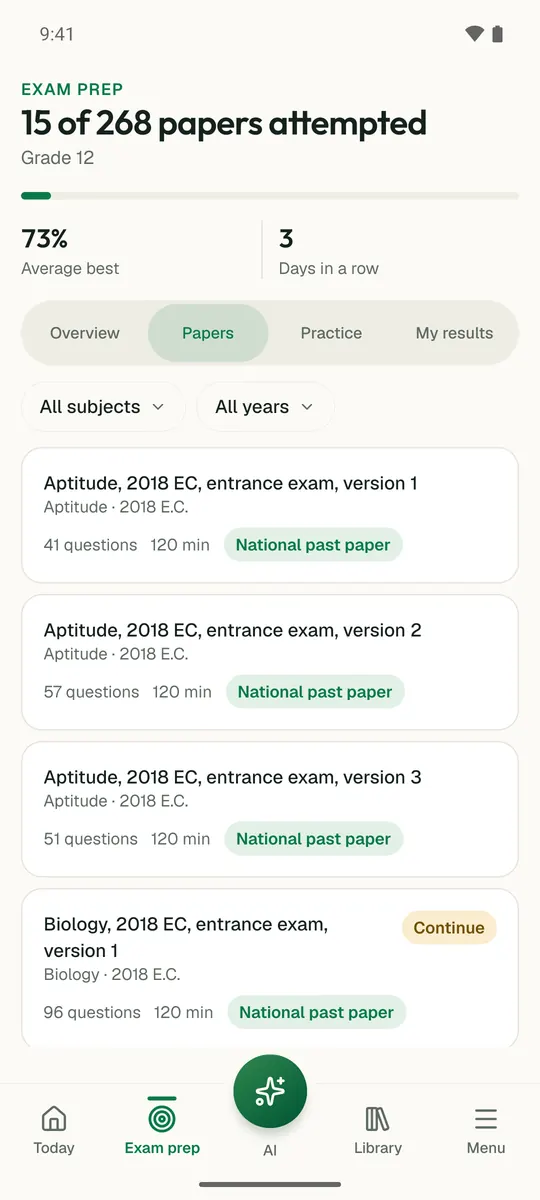
Temari turns this chapter into timed practice and marks it as you go, with an AI tutor to explain anything that did not land.

Start free

Temari.et is also an Android app, free on Google Play.

Sign inCreate your account