
Grade 12 results are out. Where to check yours

Unit notes and practice questions

Grade 12 Information Technology unit 5: Maintenance and Troubleshooting

Everything here is for unit 5 of the Grade 12 Information Technology textbook: what the chapter covers, the short notes, practice questions with their answers, and the lesson video where one exists.

Get it on Google Play
4
Cards
10
Practice questions on unit 5
135–163
The textbook pages for unit 5

What unit 5 covers

  1. 1.Install and uninstall software
  2. 2.Installing Software
  3. 3.Uninstalling Software
  4. 4.Software Troubleshooting
  5. 5.Tools to speedup computer system
  6. 6.Disk Defragmenter
  7. 7.Disk Cleanup
  8. 8.Windows Update
  9. 9.System Restore
  10. 10.Network Troubleshooting
  11. 11.Basic Network Problems
  12. 12.Basic Network Troubleshooting Steps
  13. 13.Network Troubleshooting Tools
  14. 14.3.1 Command-Line Tools
  15. 15.Network Maintenance Tools

Short notes for unit 5

The cards filed under this chapter on the Grade 12 Information Technology page. Open one at a time.

When you use it

Follow this seven step troubleshooting methodology to diagnose and resolve computer network issues.

Watch out

Proving a scenario wrong during testing is not a failure: return to step two and develop a new scenario rather than skipping testing.

Drafted from Grade 12 Information Communication Technology, pages 135-163, then checked twice before it went up

CommandFunction
ipconfigDisplays IP address, subnet mask, and default gateway settings
pingSends test datagrams to verify connectivity to a target host
tracertTraces the packet path to identify where network transmission fails
nslookupQueries DNS to map hostnames to IP addresses or vice versa
netstatDisplays active network connections and running network services

When you use it

Use these command prompt utilities to inspect IP configurations and diagnose connectivity issues.

Watch out

The command ipconfig is specific to Windows: Linux and macOS use different network commands.

Drafted from Grade 12 Information Communication Technology, pages 135-163, then checked twice before it went up

Hardware ToolFunction
Wire CrimperAttaches RJ connectors to the ends of network cables
Cable TesterVerifies whether electrical signals pass correctly through a cable
Punch Down ToolInserts cable wires directly into patch panels or punch down blocks
Tone GeneratorSends an electrical signal through wire pairs to trace cables
MultimeterMeasures electrical properties including voltage, current, and resistance

When you use it

Reference this set when selecting physical tools to build, terminate, or test network wiring.

Watch out

A cable tester checks physical wire continuity, whereas ping checks software level host communication.

Drafted from Grade 12 Information Communication Technology, pages 135-163, then checked twice before it went up

ToolFunction
Disk DefragmenterRearranges fragmented files into contiguous storage sequences to improve retrieval speed
Disk CleanupDeletes temporary, unused, and Internet files to free storage space
Windows UpdateDownloads and installs system updates and security patches
Check DiskScans the hard drive and fixes file system errors
System RestoreCreates restore points and reverts settings to a previous working state

When you use it

Use to optimize computer performance, free disk space, or recover system settings after malfunctions.

Watch out

System Restore rolls back system settings and drivers, but it does not restore deleted personal files.

Drafted from Grade 12 Information Communication Technology, pages 135-163, then checked twice before it went up

Practice questions on unit 5

10 multiple-choice questions written against this chapter, each with its answer and the reason. Try one before you open the answer.

Question 1

What type of software program specifically controls a hardware device attached to a computer?

  1. A.Operating system patch
  2. B.Device driver
  3. C.Disk defragmenter
  4. D.Protocol analyzer
Show the answer and why

Answer: B Device driver

Why

A device driver is a special program that controls a specific hardware device attached to a computer, enabling the device to function properly.

Question 2

Which Windows system tool deletes unused and unwanted files, garbage, and old Internet files to free hard disk space?

  1. A.Disk Cleanup
  2. B.Task Manager
  3. C.System Restore
  4. D.Check Disk
Show the answer and why

Answer: A Disk Cleanup

Why

Disk Cleanup deletes unnecessary and unused files, garbage, and old Internet files to free up disk space.

Question 3

When an application becomes completely frozen and will not close normally, which keyboard shortcut opens the Task Manager to force quit the program?

  1. A.Ctrl + Shift + Tab
  2. B.Alt + F4 + Space
  3. C.Ctrl + Alt + Delete
  4. D.Shift + Esc + Enter
Show the answer and why

Answer: C Ctrl + Alt + Delete

Why

Pressing Ctrl + Alt + Delete opens the Task Manager where you can select the frozen application and click End Task to force quit it.

Question 4

What is the first step in the basic network troubleshooting process?

  1. A.Implement the Solution
  2. B.Document the Issue
  3. C.Develop a Scenario
  4. D.Identify the Problem
Show the answer and why

Answer: D Identify the Problem

Why

The repeatable network troubleshooting process begins with Identify the Problem, which includes gathering information and determining symptoms.

Question 5

How does the Disk Defragmenter tool improve computer performance?

  1. A.It deletes all system restore points to create extra free space.
  2. B.It rearranges files on the disk so each file is stored in one sequence.
  3. C.It searches for outdated network device drivers and updates them.
  4. D.It scans memory to close halted background processes.
Show the answer and why

Answer: B It rearranges files on the disk so each file is stored in one sequence.

Why

Disk Defragmenter reduces file system fragmentation by rearranging files so that each file is stored in a single sequence, increasing data retrieval efficiency.

Question 6

A student in Hawassa runs the ipconfig command in the Windows Command Prompt. What information will this command display?

  1. A.The host IP address, subnet mask, and default gateway
  2. B.The route and hop counts taken by packets to reach a destination
  3. C.A list of all active network services and open listening ports
  4. D.The serial number and product key of the operating system
Show the answer and why

Answer: A The host IP address, subnet mask, and default gateway

Why

The ipconfig utility verifies TCP/IP network settings and displays information such as the IP address, subnet mask, and default gateway.

Question 7

Which network hardware maintenance tool is used to attach media connectors to the ends of network cables?

  1. A.Cable tester
  2. B.Tone generator
  3. C.Wire crimper
  4. D.Punch-down tool
Show the answer and why

Answer: C Wire crimper

Why

A wire crimper (or cable crimper) is used to attach media connectors directly onto the ends of cables when making or modifying network cables.

Question 8

Which TCP/IP command-line tool determines the exact path data takes to reach a destination and helps pinpoint where packet loss occurs?

  1. A.<code>tracert</code>
  2. B.<code>netstat</code>
  3. C.<code>nslookup</code>
  4. D.<code>ping</code>
Show the answer and why

Answer: A <code>tracert</code>

Why

tracert is a TCP/IP utility that traces the route data packets travel to a particular destination, helping technicians see where packets are dropped.

Question 9

Which command-line utility is specifically designed to query Domain Name System (DNS) records and display the IP address of a hostname or vice versa?

  1. A.<code>netstat</code>
  2. B.<code>nslookup</code>
  3. C.<code>ipconfig</code>
  4. D.<code>ping</code>
Show the answer and why

Answer: B <code>nslookup</code>

Why

nslookup is a DNS utility used to find the IP address associated with a hostname (such as resolving a domain name) or vice versa, helping diagnose name resolution issues.

Question 10

What is the primary function of the System Restore tool in Windows?

  1. A.It permanently removes corrupted software drivers from the hard disk.
  2. B.It deletes temporary Internet cookies and clears the browser history.
  3. C.It creates a restore point of system settings to restore if the system malfunctions.
  4. D.It checks the disk surface for physical errors and marks bad sectors.
Show the answer and why

Answer: C It creates a restore point of system settings to restore if the system malfunctions.

Why

System Restore makes a secure backup copy of working system settings (a restore point), allowing users to return the system to that state if a malfunction occurs later.

The app holds 12 questions on this unit, marked as you go. These are the first 10.

The textbook pages for unit 5

Unit 5 runs from page 135 to page 163 of the Ministry of Education edition.

Ministry of Education edition, English, 210 pages

Download the PDF

Practise this unit in the app

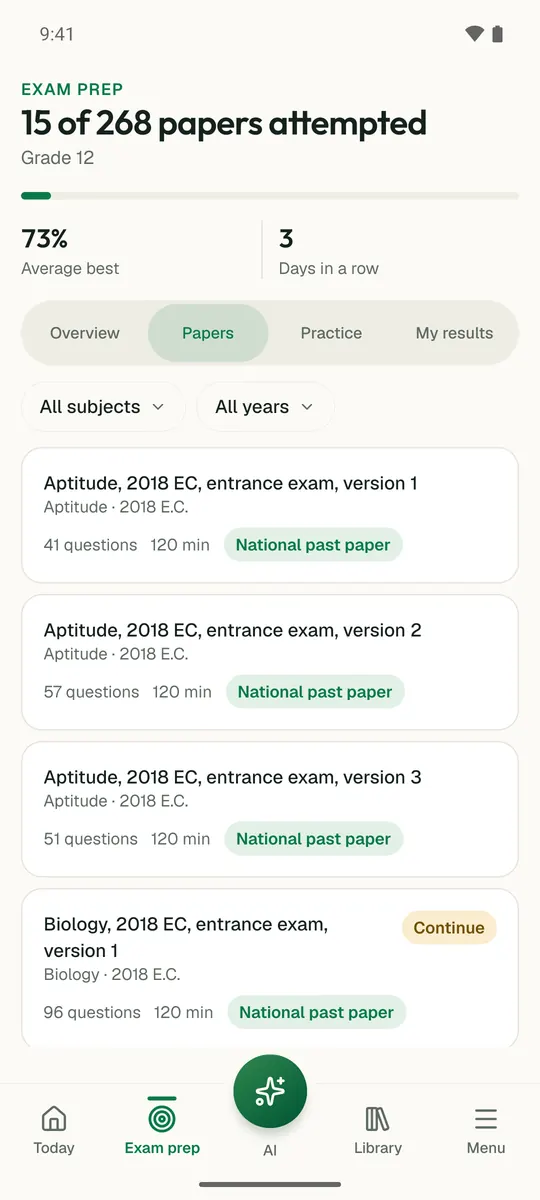
Temari turns this chapter into timed practice and marks it as you go, with an AI tutor to explain anything that did not land.

Start free

Temari.et is also an Android app, free on Google Play.

Sign inCreate your account