
Grade 12 results are out. Where to check yours

Unit notes and practice questions

Grade 9 Information Technology unit 1: Organization of files

Everything here is for unit 1 of the Grade 9 Information Technology textbook: what the chapter covers, the short notes, practice questions with their answers, and the lesson video where one exists.

Get it on Google Play
4
Cards
10
Practice questions on unit 1
1–36
The textbook pages for unit 1

What unit 1 covers

  1. 1.Basics of Files and Folders
  2. 2.Managing Files and Folders
  3. 3.Computer Drives
  4. 4.Unit Review Exercise

Short notes for unit 1

The cards filed under this chapter on the Grade 9 Information Technology page. Open one at a time.

When you use it

Use when deciding whether to duplicate a file or transfer it to a new directory.

Watch out

Copying creates an extra duplicate file on your computer. If you only want one copy in the new folder, use Move (Cut and Paste) instead.

Drafted from Grade 9 Information Technology, pages 1-36, then checked twice before it went up

When you use it

Use this distinction when identifying computer hardware storage versus operating system control software.

Watch out

Do not confuse drive with driver. A drive is a physical hardware storage component, while a driver is software that lets hardware communicate with the operating system.

Drafted from Grade 9 Information Technology, pages 1-36, then checked twice before it went up
When you use it

Use when removing unwanted files or managing disk storage space.

Watch out

Deleting a folder deletes all files and subfolders inside it. System files in the local disk must not be deleted as it harms computer operation.

Drafted from Grade 9 Information Technology, pages 1-36, then checked twice before it went up

Shortcut KeyAction
Win + EOpen File Explorer
Ctrl + CCopy selected item
Ctrl + XCut (move) selected item
Ctrl + VPaste item
F2Rename selected item
Shift + DeletePermanently delete item

When you use it

Use these keyboard shortcuts to quickly manage files and folders in Windows File Explorer.

Watch out

Pressing Shift + Delete bypasses the Recycle Bin and deletes the item permanently.

Drafted from Grade 9 Information Technology, pages 1-36, then checked twice before it went up

Practice questions on unit 1

10 multiple-choice questions written against this chapter, each with its answer and the reason. Try one before you open the answer.

Question 1

What is another name for a computer folder?

  1. A.Directory
  2. B.Driver
  3. C.Extension
  4. D.Document
Show the answer and why

Answer: A Directory

Why

A folder is also called a directory. It serves as a container used to store related files and subfolders together.

Question 2

Which keyboard shortcut is used to open File Explorer in Windows?

  1. A.Windows key + E
  2. B.Windows key + F
  3. C.Ctrl + E
  4. D.Alt + E
Show the answer and why

Answer: A Windows key + E

Why

You can quickly open File Explorer by pressing the Windows key + E keyboard shortcut.

Question 3

When a student in Hawassa creates and saves a plain text file using the Notepad application, which file extension does Notepad use by default?

  1. A..txt
  2. B..doc
  3. C..ppt
  4. D..png
Show the answer and why

Answer: A .txt

Why

Notepad is a text editor that creates plaintext files and automatically saves them with the .txt file extension.

Question 4

In the Windows operating system, which drive letter is usually designated for the main hard disk drive?

  1. A.C:
  2. B.A:
  3. C.D:
  4. D.G:
Show the answer and why

Answer: A C:

Why

The primary internal hard disk drive containing the operating system and programs is usually designated as the C: drive.

Question 5

Which function key on the keyboard allows you to rename a highlighted file or folder?

  1. A.F2
  2. B.F5
  3. C.F1
  4. D.F12
Show the answer and why

Answer: A F2

Why

Pressing the F2 key after selecting a file or folder allows you to edit its name directly.

Question 6

What is the difference between Save and Save As?

  1. A.Save updates an existing file, while Save As saves a file to a new location or with a new name.
  2. B.Save creates a duplicate file, while Save As deletes the original file.
  3. C.Save works only on folders, while Save As works only on files.
  4. D.Save changes the file extension, while Save As keeps the extension the same.
Show the answer and why

Answer: A Save updates an existing file, while Save As saves a file to a new location or with a new name.

Why

Save updates a previously saved file with new changes, whereas Save As allows you to save a new file or an existing file to a new location or with a different name.

Question 7

A student in Bahir Dar wants to delete an unwanted file permanently so that it does not go to the Recycle Bin. Which key combination should be used?

  1. A.Shift + Delete
  2. B.Ctrl + Delete
  3. C.Alt + Delete
  4. D.Tab + Delete
Show the answer and why

Answer: A Shift + Delete

Why

Holding down the Shift key while pressing Delete deletes the file permanently without placing it in the Recycle Bin.

Question 8

In the File Explorer Navigation pane of Windows 10, what does a small right-pointing triangle next to a folder name indicate?

  1. A.The folder contains subfolders that are currently not expanded.
  2. B.The folder is completely empty and contains no files.
  3. C.The folder subfolders are currently displayed on screen.
  4. D.The folder has been permanently deleted.
Show the answer and why

Answer: A The folder contains subfolders that are currently not expanded.

Why

A right-pointing triangle next to a folder indicates that it contains subfolders. Clicking the triangle expands the folder and displays its subfolders.

Question 9

Almaz is organizing her school project files in Addis Ababa. What is the fundamental difference between copying a file and moving a file?

  1. A.Copying creates a duplicate file, while moving transfers the file so only one copy remains.
  2. B.Copying removes the original file, while moving keeps two identical copies.
  3. C.Copying only works within the same drive, while moving only works across different drives.
  4. D.Copying changes the file extension, while moving keeps the file name unchanged.
Show the answer and why

Answer: A Copying creates a duplicate file, while moving transfers the file so only one copy remains.

Why

When copying files, a duplicate is created, resulting in more than one copy on the computer. When moving files, the file is relocated so only one copy exists.

Question 10

What is the difference between a computer drive and a driver?

  1. A.A drive is hardware for storing data, while a driver is software that lets hardware communicate with the operating system.
  2. B.A drive is a software program, while a driver is a physical cable connecting hardware.
  3. C.A drive is used only for CD discs, while a driver is used only for hard disks.
  4. D.A drive manages network connections, while a driver creates text documents.
Show the answer and why

Answer: A A drive is hardware for storing data, while a driver is software that lets hardware communicate with the operating system.

Why

A drive is a physical storage component (like a hard disk or flash drive), whereas a driver is software code that enables hardware devices to communicate with the operating system.

The app holds 12 questions on this unit, marked as you go. These are the first 10.

The textbook pages for unit 1

Unit 1 runs from page 1 to page 36 of the Ministry of Education edition.

Ministry of Education edition, English, 251 pages

Download the PDF

Practise this unit in the app

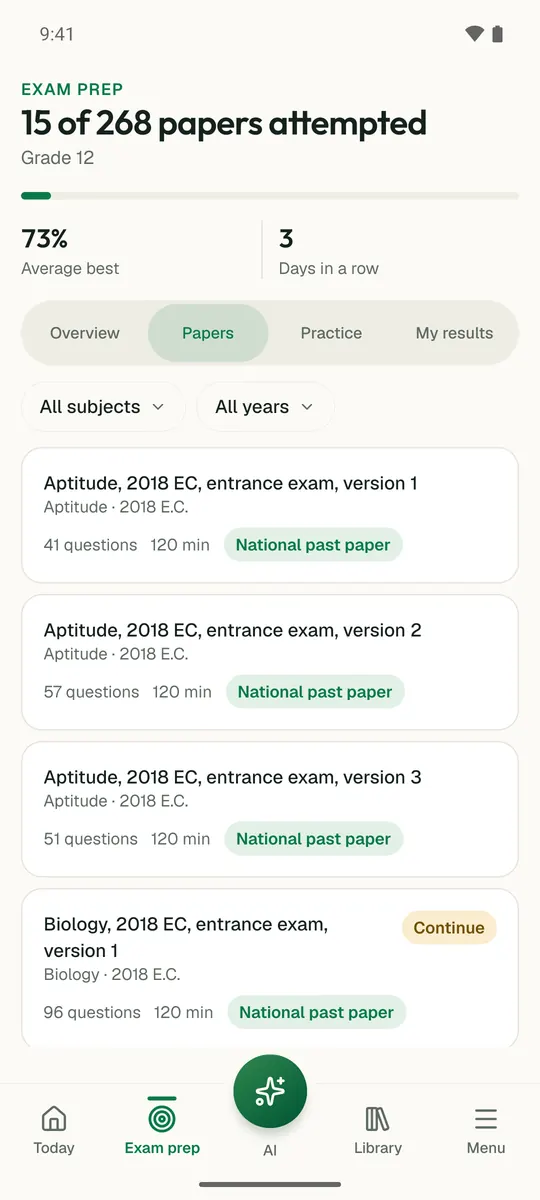
Temari turns this chapter into timed practice and marks it as you go, with an AI tutor to explain anything that did not land.

Start free

Temari.et is also an Android app, free on Google Play.

Sign inCreate your account